> ## Documentation Index
> Fetch the complete documentation index at: https://docs.emby.ai/llms.txt
> Use this file to discover all available pages before exploring further.
# How to perform subscription downgrades
> Learn how to downgrade a subscription as a merchant or a customer.
## Downgrading a subscription as a merchant
In the Polar dashboard sidebar, navigate to **Sales** > **Subscriptions** for your organization.
You can also go directly to:\
`https://polar.sh/dashboard/${org_slug}/sales/subscriptions`
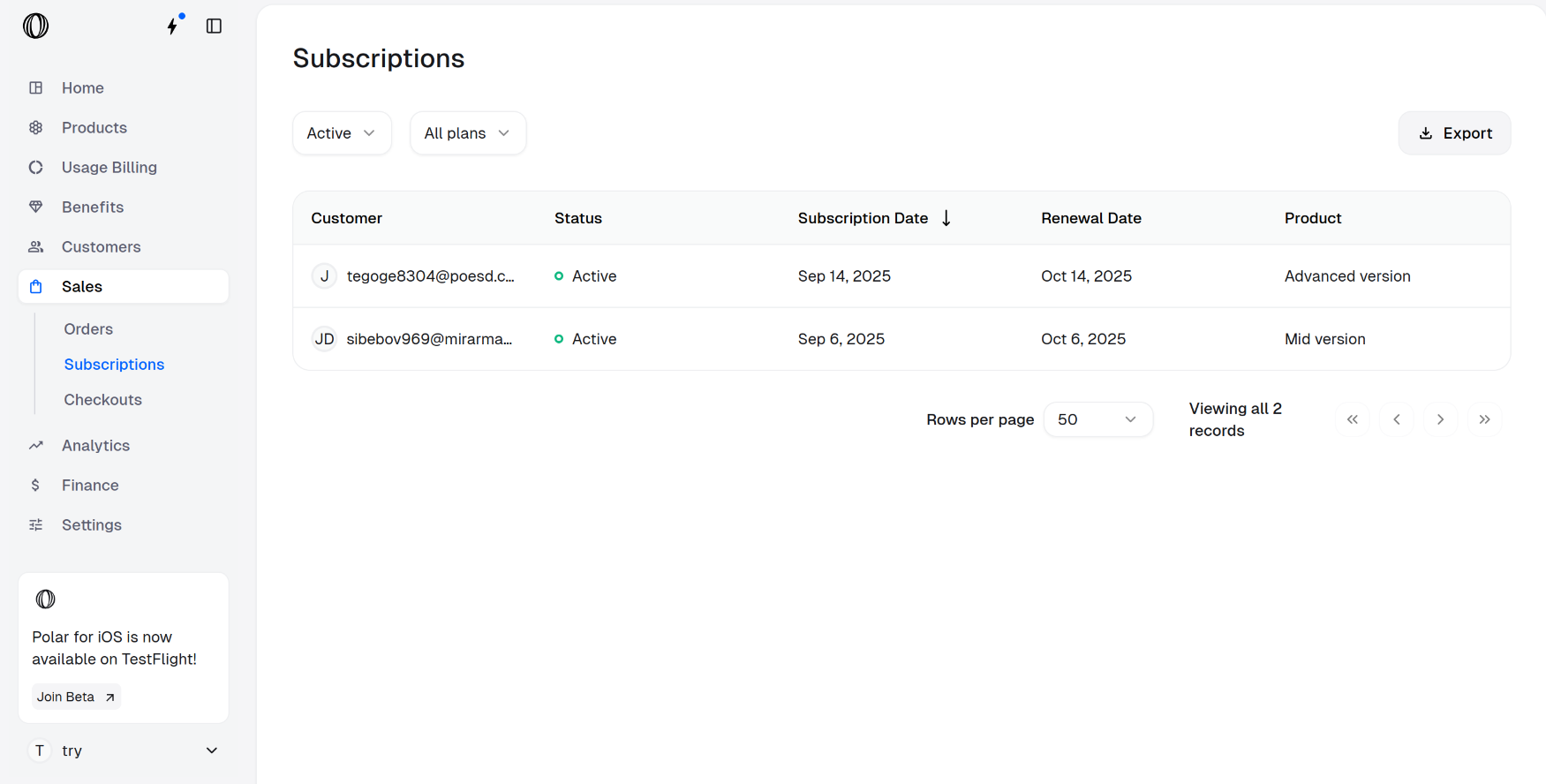 Click on the subscription you want to downgrade. The subscription details page opens up as shown below. Click on **Update Subscription**.
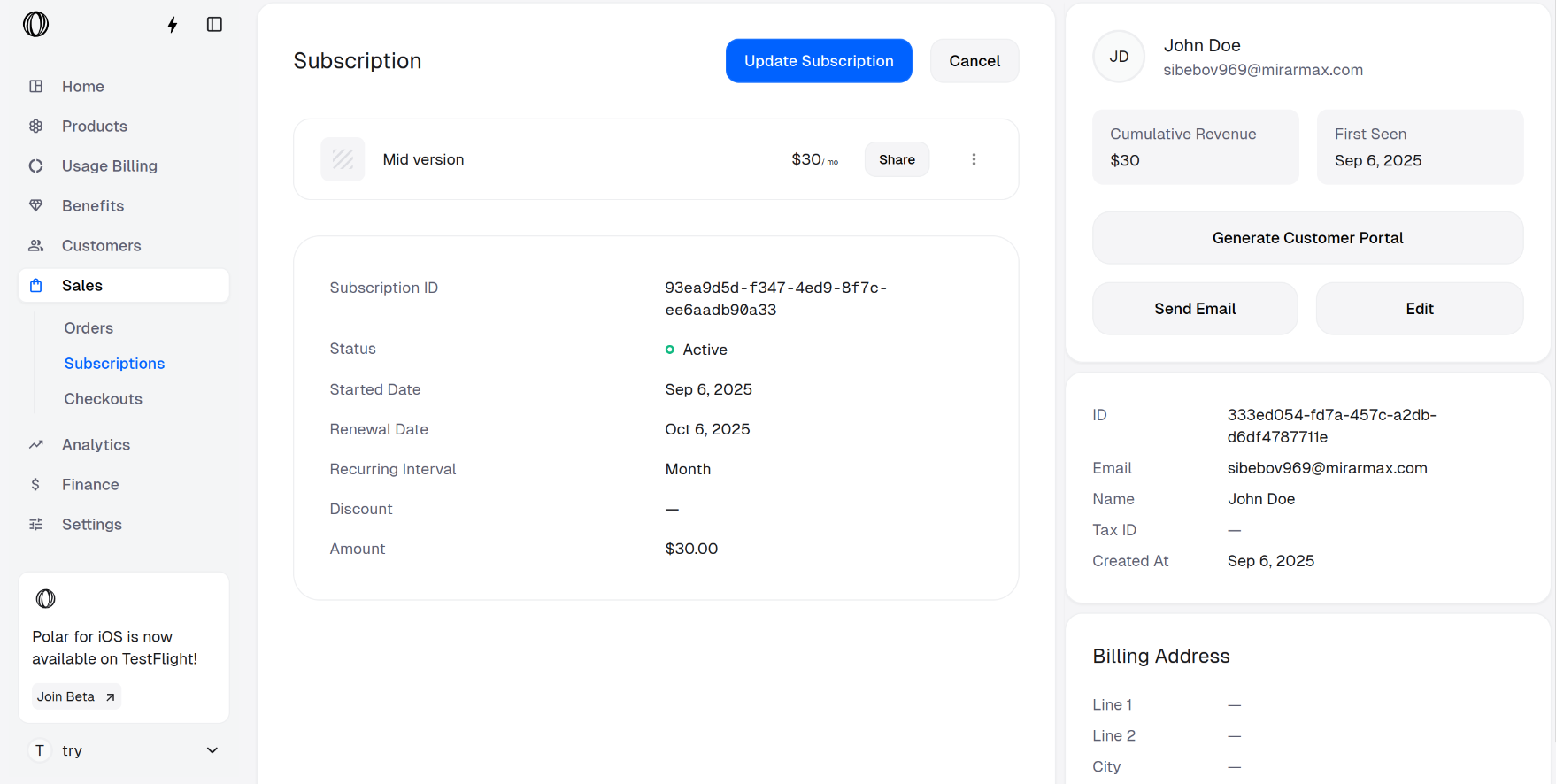 Select the **New product** (plan to downgrade to) and the **Proration behavior** from the dropdown menu.
Regardless of the option, the subscription is downgraded immediately, only the invoicing happens according to the selected **Proration behaior**.
There are two types of proration:
* **Next invoice**: The customer is charged (or credited) in the upcoming invoice for the difference.
* **Invoice immediately**: The customer is charged (or credited) right away for the difference.
Then, click on **Update Subscription**.
Select the **New product** (plan to downgrade to) and the **Proration behavior** from the dropdown menu.
Regardless of the option, the subscription is downgraded immediately, only the invoicing happens according to the selected **Proration behaior**.
There are two types of proration:
* **Next invoice**: The customer is charged (or credited) in the upcoming invoice for the difference.
* **Invoice immediately**: The customer is charged (or credited) right away for the difference.
Then, click on **Update Subscription**.
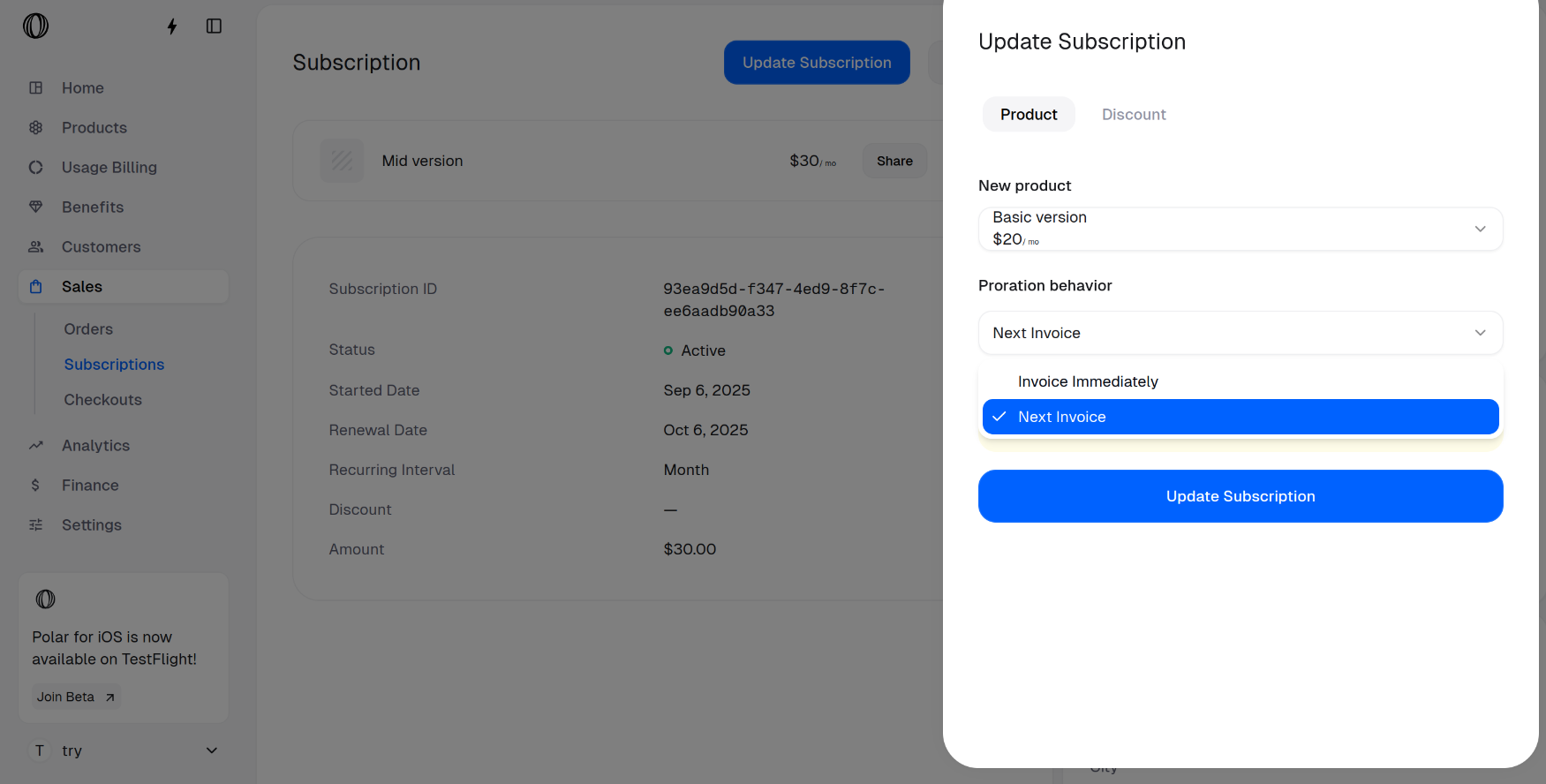 The subscription is successfully downgraded to **Basic version**.
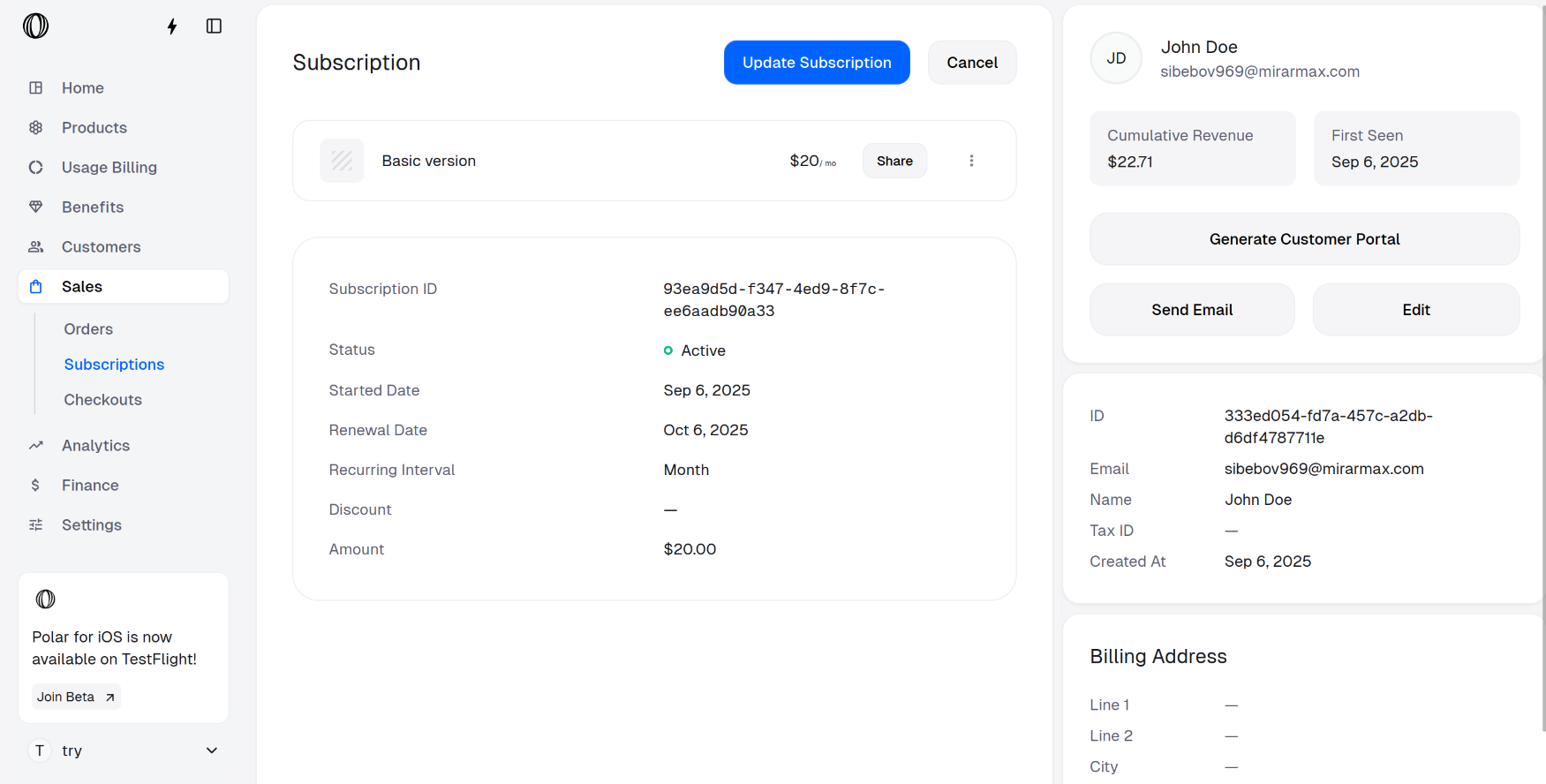 Note that merchants can disable customer-level upgrades or downgrades in the portal [by toggling OFF **Allow price change** setting](/guides/disable-subscription-changes-in-customer-portal).
## Downgrading a subscription as a customer
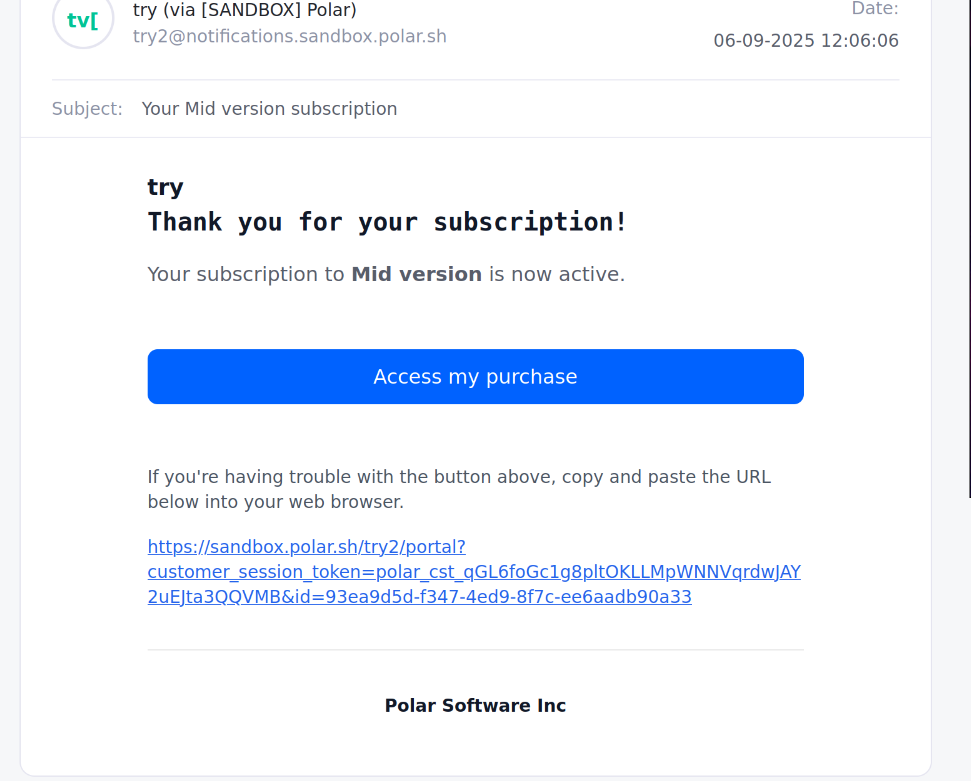
Open the email you received after purchasing the subscription. Click the **Access my Purchase** link to go to the Customer Portal, where you can downgrade your subscription.
Note that merchants can disable customer-level upgrades or downgrades in the portal [by toggling OFF **Allow price change** setting](/guides/disable-subscription-changes-in-customer-portal).
## Downgrading a subscription as a customer
Open the email you received after purchasing the subscription. Click the **Access my Purchase** link to go to the Customer Portal, where you can downgrade your subscription.
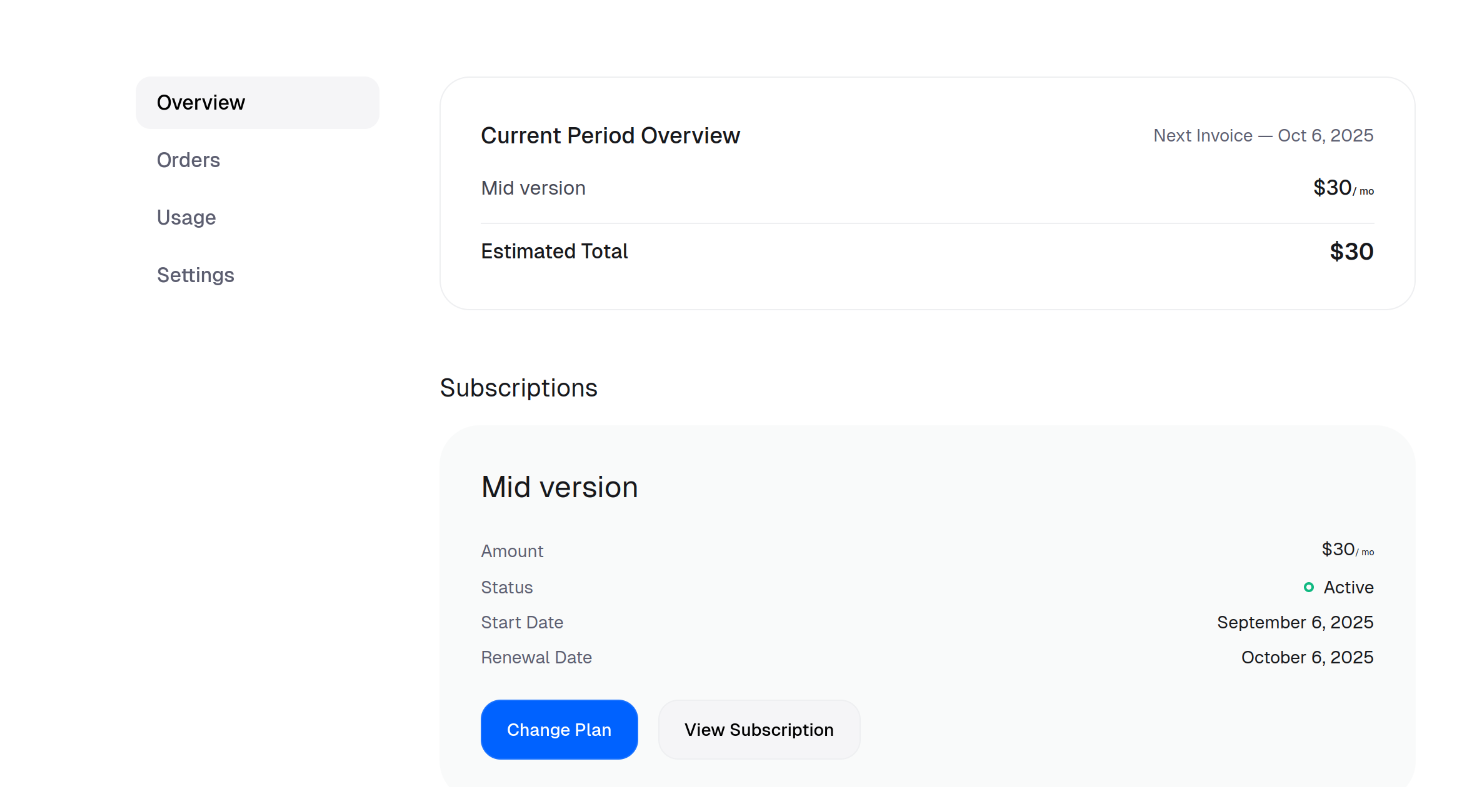
 In the Overview tab of Customer Portal, scroll to **Subscriptions** and click on **Change Plan**.
 Select the plan you want to downgrade to and click on **Change Plan**.
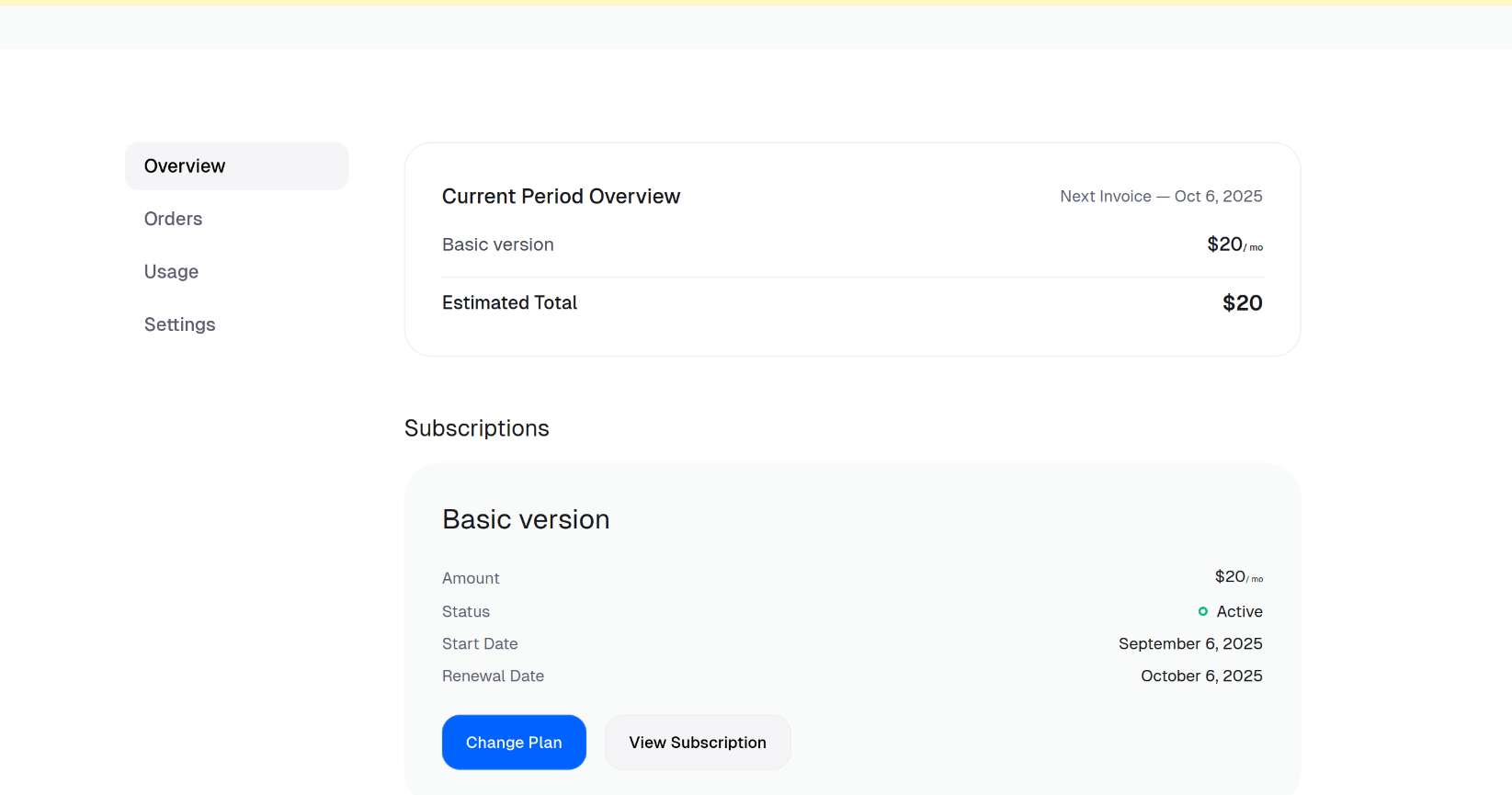
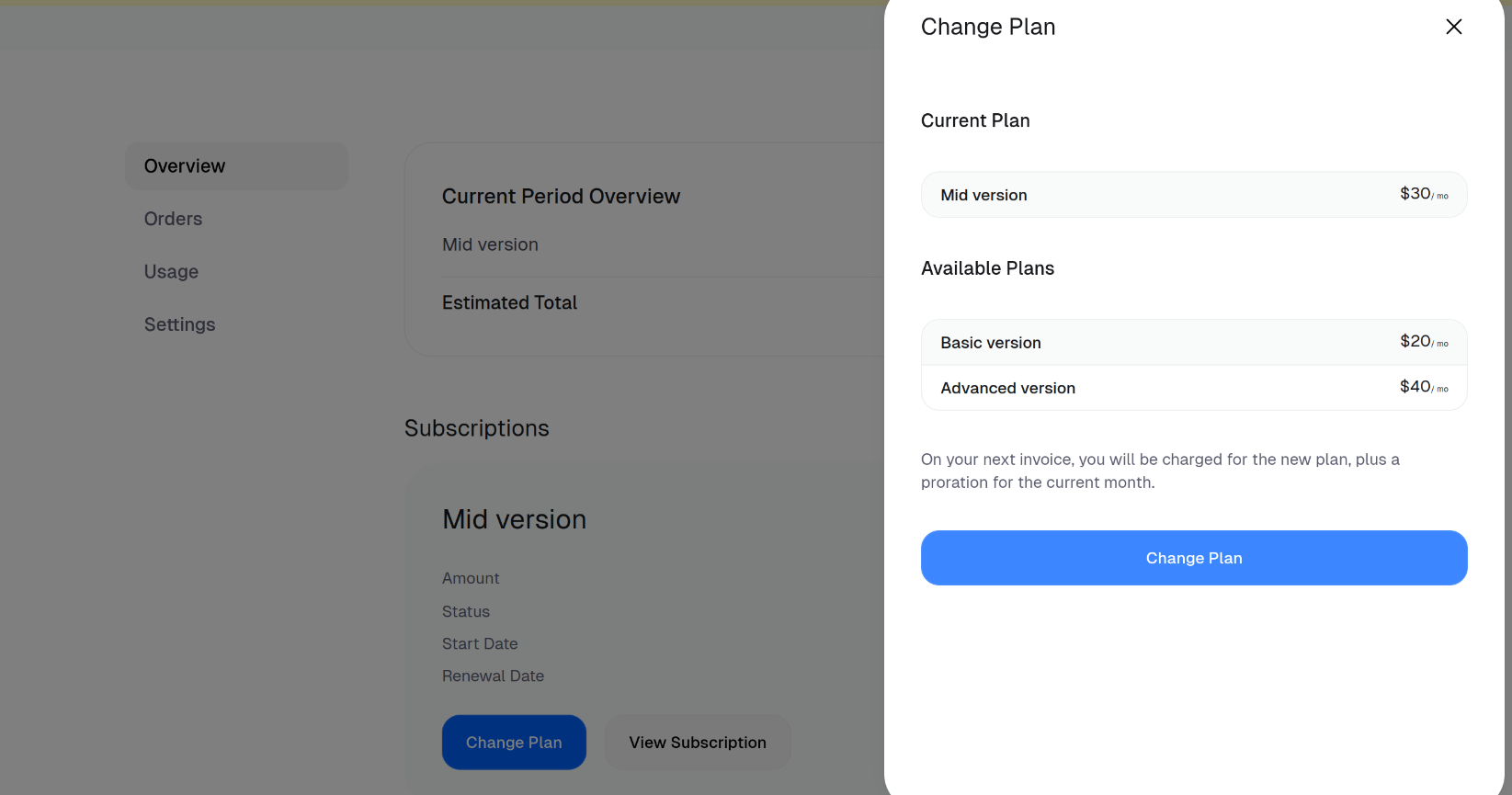 The subscription is successfully downgraded to **Basic version**.